22 Ene 2026 Practical Web Accessibility for Inclusive Design and AI-Ready Experiences
Web accessibility is about removing barriers, reaching more users, and making the web work for everyone. This is primarily achieved through proper semantic HTML and, when needed, WAI-ARIA (Web Accessibility Initiative – Accessible Rich Internet Applications).
The W3C (World Wide Web Consortium) defines web accessibility as ensuring that everyone can perceive, understand, navigate, and interact with the web, including those with visual, auditory, mobility, or cognitive limitations.
To guide developers, the W3C created the Web Content Accessibility Guidelines (WCAG) built around four key principles, represented by the acronym POUR: Perceivable, Operable, Understandable, and Robust.
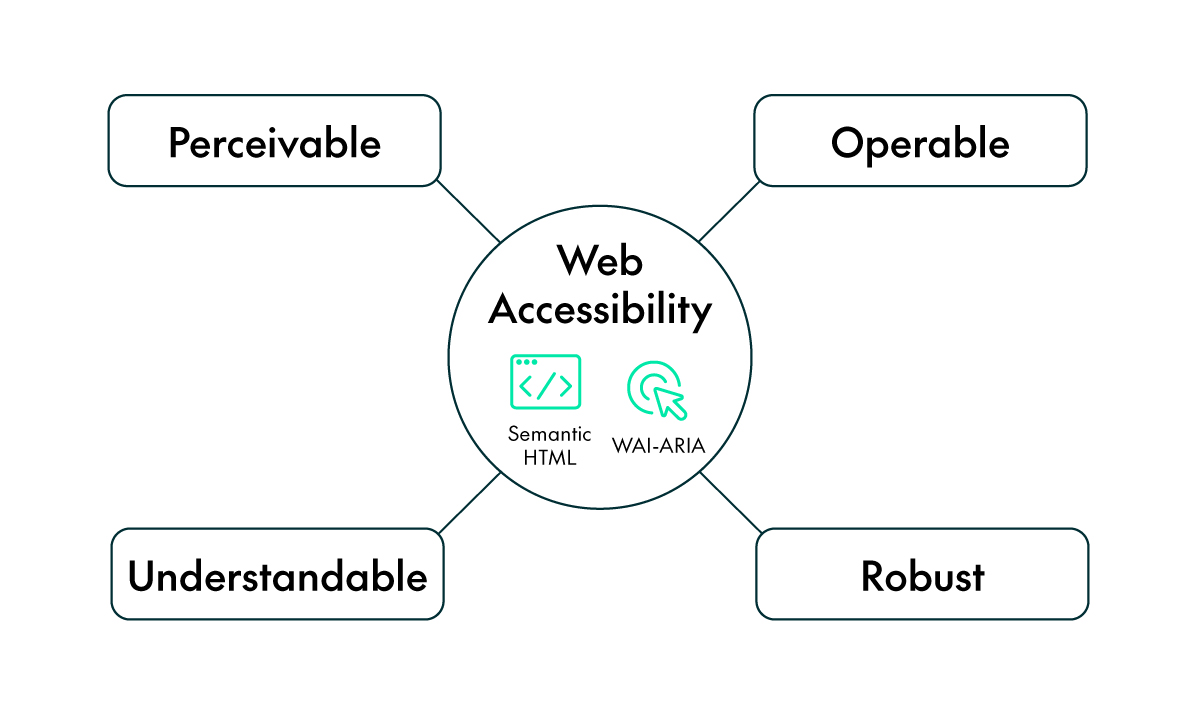
But how do these principles translate into real-world web development?
In this article, we’ll start by understanding what web accessibility really means and why it matters. Then we’ll explore some practical ways to implement this, beginning with semantic HTML, moving into WAI-ARIA, looking at examples of accessible design in action. Finally, we’ll reveal how designing for users is now essential for optimising for autonomous AI agents, and also review the common mistakes to avoid.
All this will show you that accessibility is not just an extra feature, but the foundation of great design!
Understanding Web Accessibility
Accessibility is more than compliance; it’s a mindset. The WCAG framework helps teams to translate empathy into structure, ensuring that every user can perceive, operate, and understand a website, regardless of ability or device.
A great real-world example is the BBC, one of the earliest major organisations to make accessibility a core principle of its websites and digital platforms. The BBC Accessibility Guidelines, built on WAI-ARIA and WCAG standards, guide how the corporation designs and maintains its news, media, and streaming platforms.
The BBC applies these standards through some key practices:
- Semantic HTML defines clear structure and navigation, using elements like <header>, <nav>, <main>, and <footer>.
- ARIA roles and states describe dynamic components such as live news tickers, modal windows, and interactive menus.
- Keyboard accessibility ensures users can fully navigate content without a mouse.
- Screen reader optimisations allow visually impaired users to understand context and interact with all page elements.

Example of a BBC article and its accessible tree view
The result? BBC websites are fully accessible to millions of users, including those relying on assistive technologies, whilst also improving usability, performance, and SEO for all visitors.
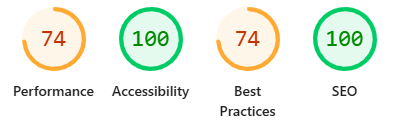
Lighthouse score of the BBC website
Beyond ethical considerations, accessibility is a smart business choice. Adherence to WCAG standards is increasingly becoming a legal requirement globally, protecting organisations from potential lawsuits under acts like the ADA (the Americans with Disabilities Act), or various similar EU directives. Furthermore, accessible design expands your market reach to include the millions of people who rely on assistive technologies, turning compliance into a competitive advantage.
Implementing Accessibility in Web Design
Building accessible web applications starts with a solid foundation and grows through thoughtful enhancement. Let’s look at the two main implementation layers.
Start with Proper HTML Semantics
Your first and most powerful tool is semantic HTML.
Semantic elements such as <header>, <nav>, <main>, <article>, <section>, <footer>, <button>, and <form> carry built-in meaning for both browsers and assistive technologies.
W3Schools emphasises using the right element for the right purpose instead of relying on generic <div> or <span> tags for everything, meaning that screen readers and assistive tools interpret your page naturally.
Why It Matters
Semantic HTML satisfies several WCAG principles at once: it makes information perceivable (through structure), operable (through native behaviour like keyboard navigation), and understandable (through clear hierarchy).
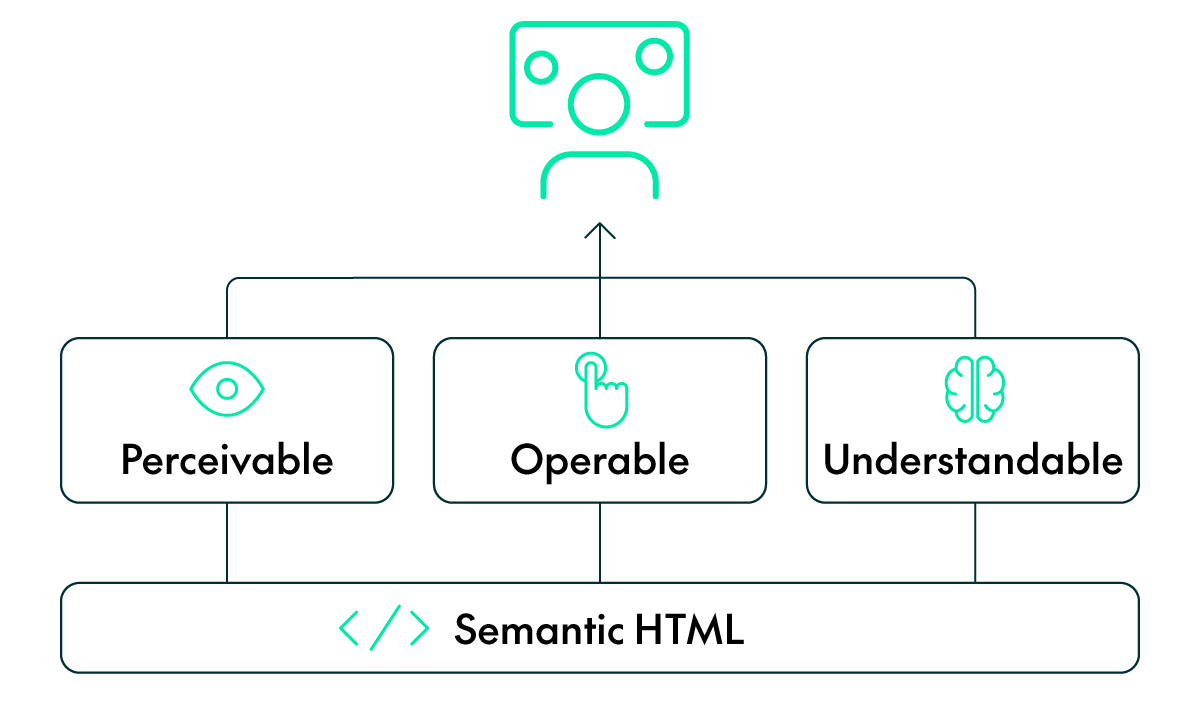
The Power of Semantic HTML: Dos and Don’ts
<!-- ✅ Correct -->
<button type="button">Submit</button>

<!-- ❌ Incorrect -->
<div onclick="submitForm()">Submit</div>
<!-- ✅ Correct -->
<label for="email">Email address</label>
<input id="email" name="email" type="email" />

<!-- ❌ Incorrect -->
<input placeholder="Email address" type="email" />
<!-- ✅ Correct -->
<h1>Dashboard</h1>
<h2>Recent Reports</h2>
<h3>Sales Summary</h3>

<!-- ❌ Incorrect -->
<p class="big-title">Dashboard</p>
<!-- ✅ Correct -->
<a href="https://www.example.com">Visit Example.com</a>

<!-- ❌ Incorrect -->
<span onclick="goToExample()">Visit Example.com</span>
A few more tips and best practices:
- Use <main> to wrap unique content (one per page).
- Use <h1> – <h6> for structure, not styling.
- Reserve <strong> and <em> for meaning, not just for visual emphasis.
When HTML is Not Enough: Introducing WAI-ARIA
Once your foundation is semantic, the next step is handling dynamic, interactive components (menus, modals, tabs, and tooltips) that standard HTML cannot fully describe. This is where WAI-ARIA comes into play, defining roles, states, and properties that describe how components behave for assistive technologies, bridging the gap between how something looks and how it functions programmatically.
Practical ARIA Examples
Accessible Dialog
<div id="dialog" role="dialog" aria-labelledby="dialog-title" aria-modal="true">
  <h2 id="dialog-title">Confirm Action</h2>
  <p>Are you sure you want to delete this record?</p>
  <button>Cancel</button>
  <button>Delete</button>
</div>
Expandable Menu
<button aria-expanded="false" aria-controls="menu-items">
  Options
</button>
<ul id="menu-items" hidden>
  <li><a href="#">Profile</a></li>
  <li><a href="#">Settings</a></li>
  <li><a href="#">Logout</a></li>
</ul>
Accessible Icon Button
<button aria-label="Close">
  <svg aria-hidden="true" viewBox="0 0 24 24">
    <path d="M6 6L18 18M6 18L18 6" />
  </svg>
</button>
Live Region Example
<div aria-live="polite" id="notification-area">
  Changes saved successfully.
</div>
These examples show how ARIA communicates state and context changes that might otherwise go unnoticed by assistive technologies.
Beyond the Basics: ARIA Design Patterns
The ARIA Authoring Practices Guide (APG) provides detailed patterns for building accessible interactive components.
Common patterns include:
- Accordion: Toggle content using aria-expanded and aria-controls.
- Tabs: Combine tablist, tab, and tabpanel roles for structured navigation.
- Tooltip: Use aria-describedby and role=»tooltip».
- Slider: Describe ranges with aria-valuemin, aria-valuemax, and aria-valuenow.
Each pattern defines keyboard interactions so users can navigate via the Tab, Enter, and Arrow keys.
Using ARIA Carefully
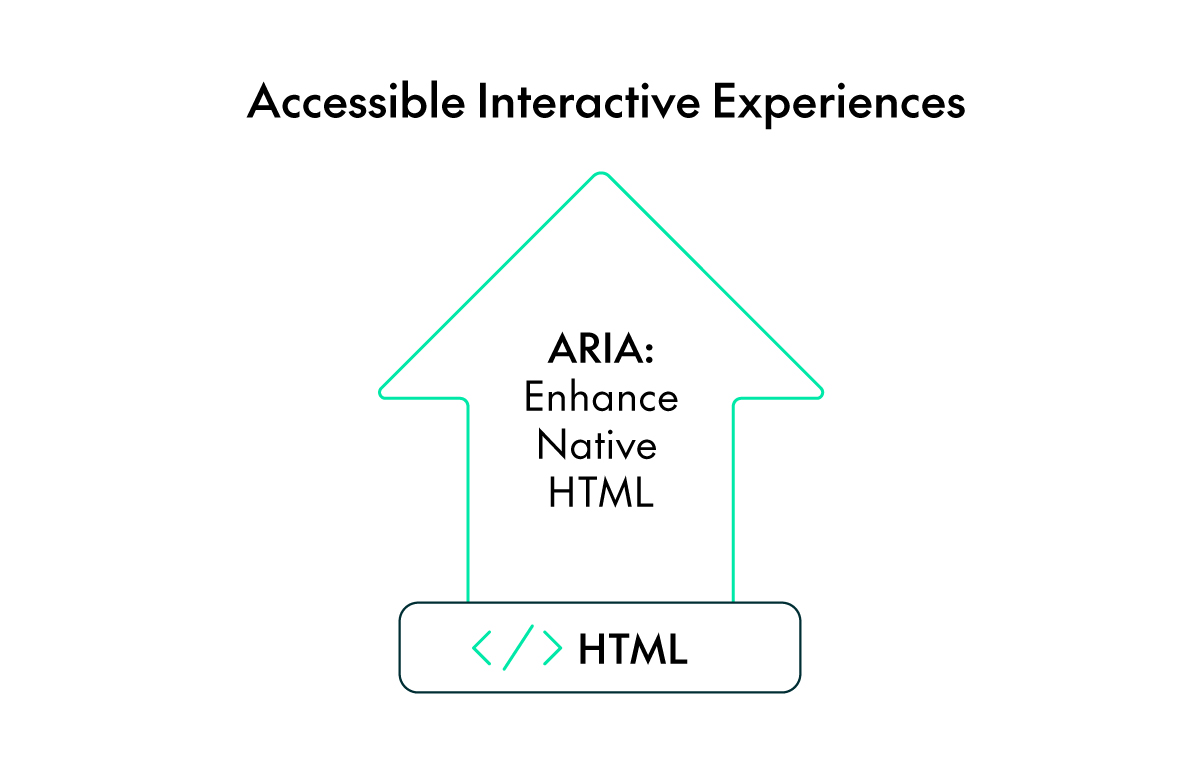
ARIA is powerful, but it must be used carefully: if a native HTML element provides the semantics and behaviour you need, use it instead of ARIA. Adding ARIA unnecessarily can reduce accessibility rather than improve it. For example, giving a <div> the role button means you must also make it act like one (including keyboard behaviour).
Common ARIA Misuse
<!-- ❌ Avoid -->
<div role="button">Click me</div>

<!-- ✅ Prefer -->
<button>Click me</button>

<!-- ❌ Redundant -->
<button role="button">Submit</button>

<!-- ✅ Clean -->
<button>Submit</button>

<!-- ❌ Misused -->
<span role="heading" aria-level="1">Main Title</span>

<!-- ✅ Proper -->
<h1>Main Title</h1>

<!-- ❌ Missing -->
<input type="text" placeholder="Username" />

<!-- ✅ Included -->
<label for="username">Username</label>
<input id="username" type="text" />

<!-- ❌ Inaccessible -->
<span onclick="navigate()">Go to Home</span>

<!-- ✅ Accessible -->
<a href="index.html">Go to Home</a>
ARIA can improve accessibility when used correctly, but it can also create barriers. Treat it as a helpful addition instead of a replacement, and make sure you check your design with screen readers and keyboard navigation.
Writing accessible code is the first step, but rigorous validation is essential to ensure full compliance. Whilst tools such as Google Lighthouse can provide a useful initial overview, reliance on automated analysis alone is insufficient. Effective auditing requires a combination of automated scanners and hands-on evaluation, including keyboard-only navigation and screen-reader use.
If you would like to learn more about auditing and improving accessibility in web applications, take a look at our article Analysing Web Application Performance & Accessibility with Google Lighthouse.
Accessibility is Optimisation for AI Agents
For decades, we’ve focused on optimising our websites for human users and traditional search engines (SEO), but nowadays a new critical audience is emerging in the form of autonomous AI agents.
These agents perform complex tasks for users, such as «Find me the best price for a laptop and buy it», by navigating, reading, and interacting with websites on their own. The surprising truth is that the best practices for human accessibility are also the foundation for agent-friendliness.
Why does accessibility future-proof your site for AI agents?
- Semantic HTML is the Agent’s «Eye»
AI agents don’t see your website visually; they read the underlying code structure, relying on semantic HTML (your <nav>, <form>, <button>, and proper <h1> hierarchy) to understand context.
- For Humans: Semantic HTML helps a screen reader announce, «This is the main navigation.»
- For Agents: Semantic HTML tells the agent, «These are the links I need to click on to perform a key action like searching or purchasing.»
- WAI-ARIA is the Agent’s «Instruction Manual»
For dynamic components like modals or tab panels, agents, like screen readers, struggle to infer behaviour. They depend on clear, descriptive attributes.
- For Humans: aria-expanded=»true» tells a user the menu is open.
- For Agents: aria-label=»Add to Cart» tells the agent exactly which element to interact with to complete a transaction.
- Consistent Design is Predictability
AI agents thrive on consistency. If your «Proceed to Checkout» button has the same label, ID, and ARIA role across every step of the funnel, the agent is far more likely to succeed in its task. Inconsistent or unpredictable interfaces cause agents to get stuck.
How to Be Ready for the Agentic Web
To move beyond compliance and towards ultimate site optimisation, developers should follow the principles of Agent Experience Optimisation (AXO), which builds directly on accessibility standards:
- Strictly Prioritise Semantic HTML: Always use the native, appropriate HTML element first. Agents are trained on vast datasets of web pages, and native elements are the most universally understood components.
- Ensure Open Access: Review your txt file and security rules (like Cloudflare/WAF) to ensure you are not unintentionally blocking legitimate AI crawlers (like ChatGPT-User or Google’s agent crawlers).
- Leverage Structured Data: Go beyond basic SEO. Use detailed Schema.org markup (especially for products, services, and business information) in JSON-LD. This machine-readable metadata gives agents a factual, structured knowledge base about your content without needing to crawl or interpret the entire page.
- Embrace New Protocols: Investigate emerging open standards like Model Context Protocol (MCP) or provide well-documented APIs (with OpenAPI specs). These protocols allow agents to interact with your site efficiently and programmatically, fully eliminating the need to simulate mouse clicks.
Accessibility is no longer just about meeting compliance standards for a subset of users: it is the prerequisite to maximise your site’s usability and reach in the coming era of autonomous AI. By designing for everybody, you are designing for the future.
Conclusion
Accessibility is not just a requirement; it is an act of empathy, recognising that the web belongs to everyone and that every design choice has the power to include or exclude. When we build with accessibility in mind, we are not just following guidelines. We are shaping a digital world that welcomes all users, in every situation and on every device.
By using semantic HTML, applying WAI-ARIA with care, and following WCAG principles, we make our websites clearer, fairer, and easier to use; not just for some, but for everyone.
In the end, accessibility is not about extra work, but about making the web work for all of us.
If you’re looking to build modern web applications that comply with the latest accessibility and performance standards, or need expert guidance along the way, the ClearPeaks team is here to help.
Contact us today to discover how we can support your business with tailored, professional solutions that ensure the best possible experience for your users and for you!