13 Jan 2026 Progressive Web Apps: The Smart Choice for Smooth Cross-Platform Experiences
The Challenge
Imagine that your team needs a mobile solution, an app that works perfectly on every device, without breaking the bank. But it’s not that easy: building separate iOS and Android apps costs a lot, and traditional websites feel sluggish and don’t work offline. But what if there’s an option that integrates proven strengths into a single solution?
Enter Progressive Web Apps (PWAs), the technology that’s transforming how forward-thinking companies deliver digital experiences. Companies like Twitter, Starbucks, and Uber have already made the switch, and the results speak for themselves.
What Is a Progressive Web App?
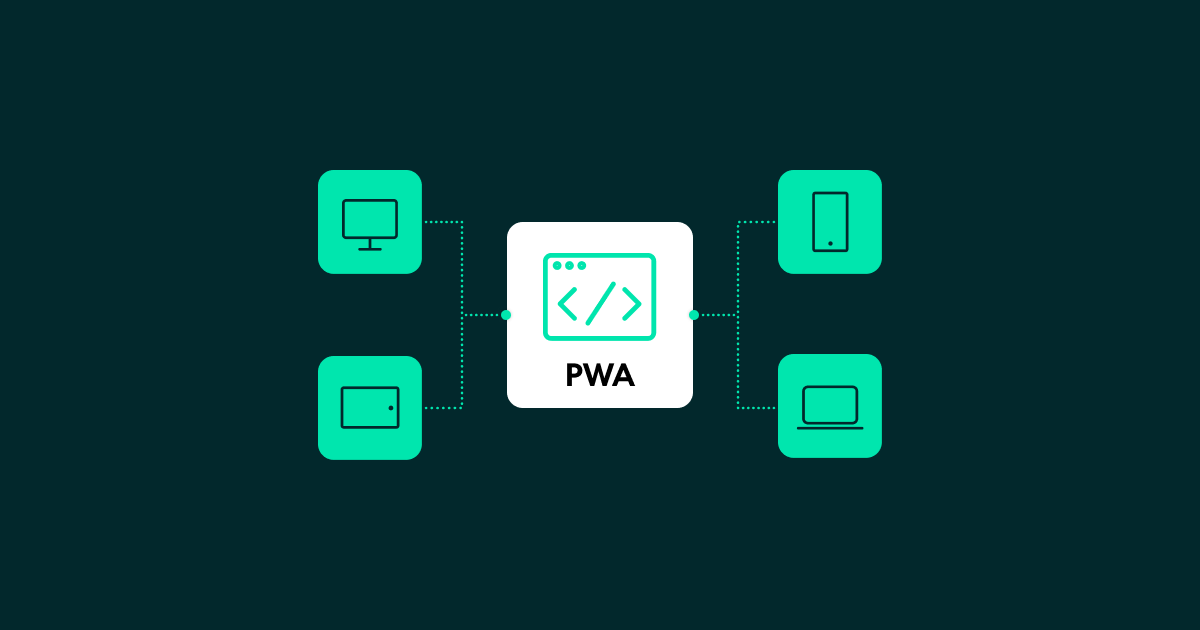
Think of a PWA as a website that behaves like a mobile app. It loads instantly, works offline, can be installed on your phone’s home screen, and sends notifications, all without requiring a download from the App Store or Google Play Store.
Key benefits:
- One solution for every platform – build once, deploy everywhere (iOS, Android, and desktop).
- Lightning fast – loads in under 3 seconds, even with a slow connection.
- Works offline – your users stay productive without internet.
- No app-store hassles – skip the approval process and update automatically.
- Up to 60% savings – a single codebase means lower development and maintenance costs.
Core PWA Technologies
To power the smooth, app-like experience that users expect, PWAs rely on a set of modern web standards that ensure performance, reliability, and security. These building blocks work together to enable offline access, home-screen installation, fast loading, and consistent behaviour across devices. Let’s take a look at the essential technologies that make PWAs possible!
- Service Workers
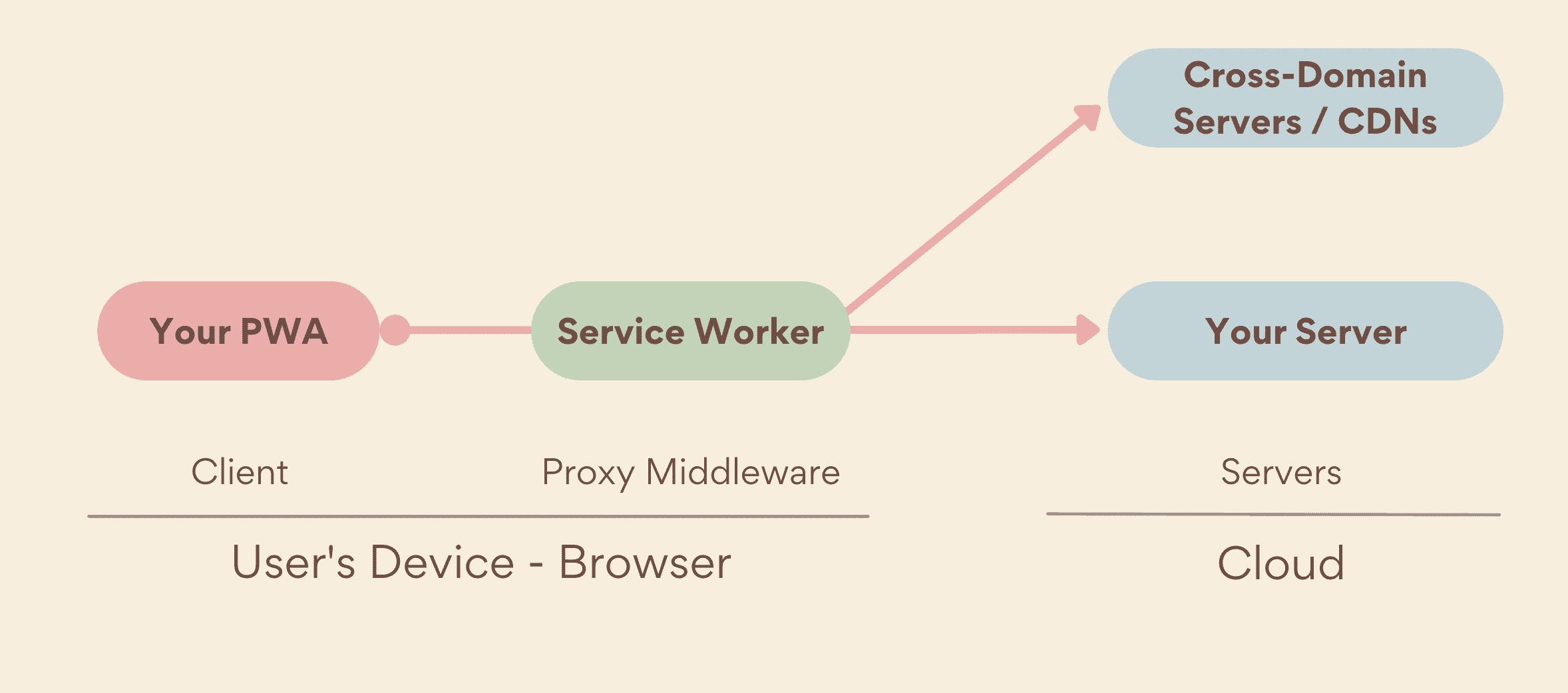
These are the background scripts that give PWAs their power. They enable offline access, manage caching for faster performance, and can handle features like push notifications, all without requiring the app to be open. What’s more, service workers are fully supported in all major browsers, including Chrome, Firefox, Safari, and Edge. We’ll dive deeper into how they work in the next section.
Source: Web.dev
- Web App Manifest
The web app manifest is a lightweight configuration file that defines how your PWA should look and behave once it’s installed on a device. It includes essential details like the app’s name, icons, and theme colours, as well as more advanced preferences such as screen orientation, shortcuts, and installation metadata. In short, the manifest ensures that your PWA feels like a true app on the user’s home screen, not just a website.
This JSON file tells browsers how to install and display your app on users’ home screens:
```json
{
  "name": "Your Enterprise App",
  "short_name": "YourApp",
  "start_url": "/",
  "display": "standalone",
  "background_color": "#ffffff",
  "theme_color": "#000000",
  "icons": [
    {
      "src": "/icon-192.png",
      "sizes": "192x192",
      "type": "image/png"
    },
    {
      "src": "/icon-500.png",
      "sizes": "500x500",
      "type": "image/png"
    }

  ]
}
- HTTPS Security
PWAs must be served over HTTPS, which guarantees that all communications between the user’s device and the server is encrypted and protected. This security requirement isn’t just about best practices, it’s what allows critical PWA features to function:
- Secure service worker execution – service workers can only be registered on secure origins, which prevents background scripts from being intercepted or tampered with.
- Data privacy and trust – HTTPS protects sensitive information such as login credentials, personal data, and business operations, essential for enterprise-grade applications.
- Improved browser support and user confidence – modern browsers display security indicators that help users to trust your app, reducing bounce rates and increasing conversions.
In short, HTTPS isn’t optional for PWAs; it’s the foundation of safe, reliable, and compliant user experiences.
- Responsive Design
PWAs are built using responsive design principles, allowing them to adapt automatically to any screen or device, from mobile phones and tablets to laptops and widescreen monitors. This creates a unified, consistent experience for every user, no matter how they access the app.
By fully embracing responsiveness, PWAs deliver the versatility and reach of the web with the polish of native applications, all in a single codebase.
Under the Hood: How Service Workers Make it Happen
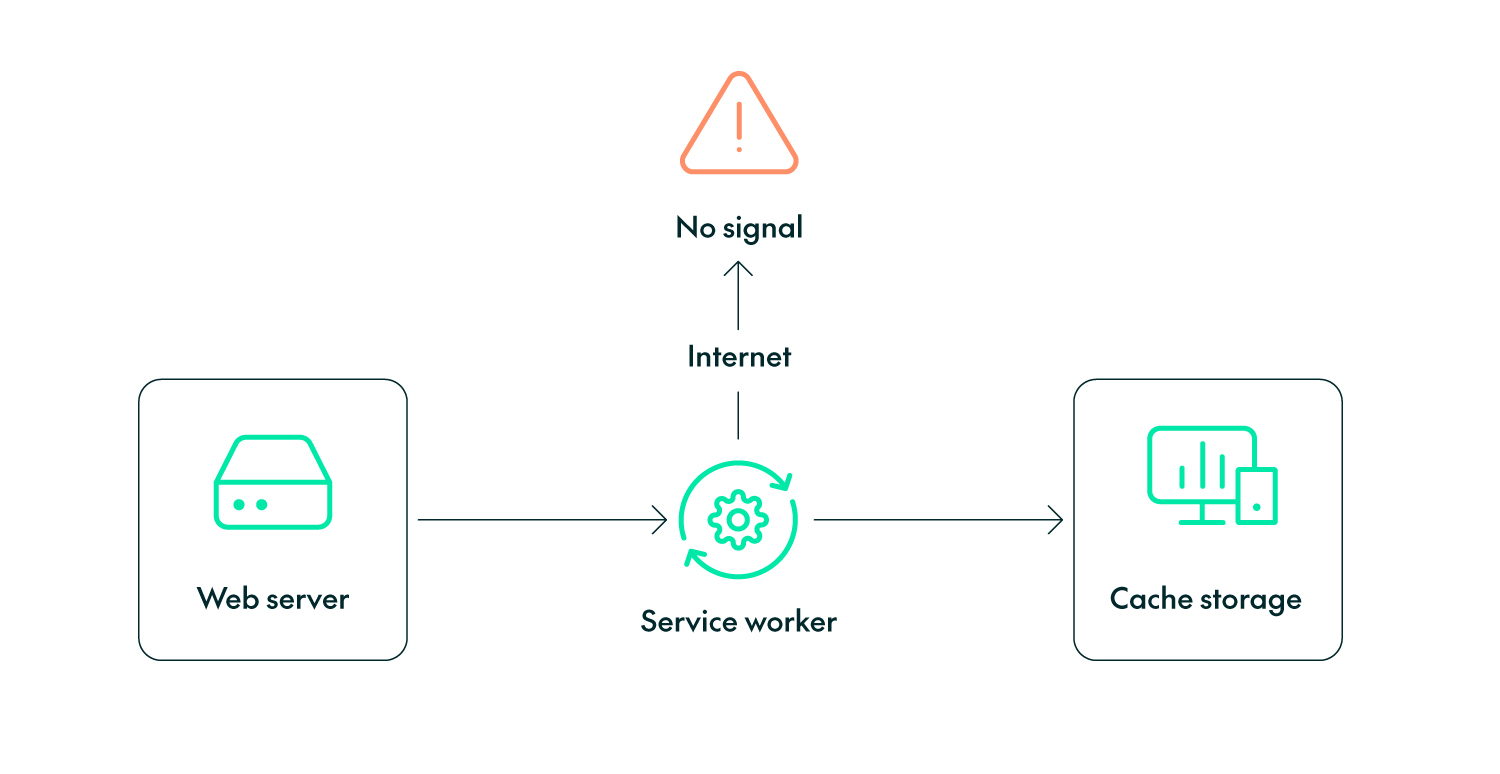
A service worker is a JavaScript file that runs independently from the website or app, operating entirely in the background. It’s like a smart layer between the browser, the network, and the content the users interact with, and as a background process it can listen for events and perform tasks even when the app is not actively in use.
All this allows service workers to unlock capabilities that standard websites simply can’t offer, including:
- Offline functionality – storing key resources so users can keep working without an internet connection.
- Caching and performance optimisation – loading content instantly from local storage before checking the network.
- Push notifications and background processing – keeping users engaged with real-time updates.
- Reliable and secure networking – intercepting requests to ensure safe fallback behaviour when connections fail.
Service workers are fully supported in modern browsers (Chrome, Safari, Firefox, Edge), making them a central element of the PWA experience. They enable PWAs to feel fast, resilient, and app-like, even in challenging network environments.
Below is a simplified example that shows how a service worker caches key files during installation and then serves them when the user goes offline:
```javascript
// Register the Service Worker
if ('serviceWorker' in navigator) {
  navigator.serviceWorker.register('/service-worker.js')
    .then(registration => console.log('PWA ready!'));
}

// Inside service-worker.js - Cache critical assets
self.addEventListener('install', event => {
  event.waitUntil(
    caches.open('app-v1').then(cache => {
      return cache.addAll([
        '/',
        '/styles.css',
        '/app.js',
        '/offline.html'
      ]);
    })
  );
});

// Serve cached content when offline
self.addEventListener('fetch', event => {
  event.respondWith(
    caches.match(event.request)
      .then(response => response || fetch(event.request))
      .catch(() => caches.match('/offline.html'))
  );
});
```
The Business Benefits
PWAs are transforming how businesses build and deliver digital experiences. By combining the reach of the web with the performance and feel of native apps, they remove barriers like app-store friction and high development costs.
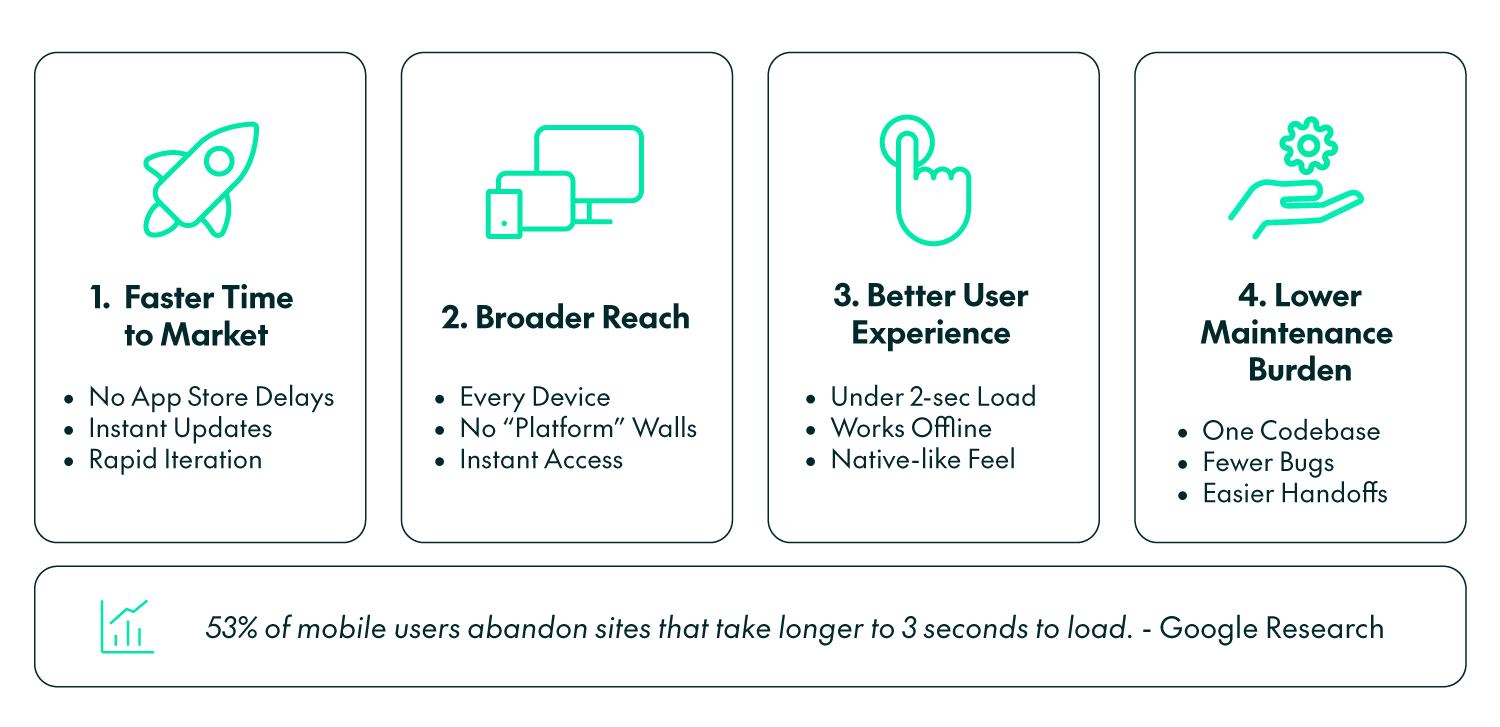
Here are four principal reasons why organisations are now choosing PWAs as their primary mobile strategy:
- Faster time to market: With PWAs, you can launch and update your app without waiting for app-store approvals, which can take days or even weeks. Updates are delivered instantly to every user, so everyone is always on the latest version, and this means teams can test, improve, and respond to user feedback much faster, speeding up innovation as well as business impact.
- Broader reach: PWAs run on any device and operating system through the browser, without installation, storage, or compatibility concerns. Users can access the experience immediately with a simple tap or click, instead of getting those “not available on your platform” messages, dramatically improving user acquisition rates.
- Better user experience: Designed for speed and reliability, PWAs typically load in under three seconds, a critical advantage given that most users abandon slow websites. They continue working even in offline or low-connectivity environments, offering uninterrupted access, and thanks to their responsive layouts and smooth, native-like interactions, PWAs deliver a seamless, high-quality experience that keeps users engaged and satisfied.According to Google’s research on mobile page speed, 53% of mobile users abandon sites that take longer than 3 seconds to load.
- Lower maintenance: Because PWAs rely on a single codebase that works across iOS, Android, and the web, development is far simpler and more efficient. Teams spend less time fixing platform-specific bugs or running separate testing cycles, and it’s also easier to find on-board developers, as web technologies are widely adopted. The result is reduced maintenance costs and a streamlined workflow that keeps feature delivery fast and dependable.
Is A PWA Right for Your Business?
Before deciding to invest in a PWA, it’s important to understand where they deliver the most value and where traditional native apps may still have the edge. Whilst PWAs offer a broad reach, rapid development, and a strong user experience, they’re not the perfect solution for every use case. The following guidelines can help you to assess whether a PWA is the right fit for your own specific needs:
PWAs are ideal if you:
- Need an app that works across all devices (phone, tablet, desktop).
- Want to reduce development and maintenance costs significantly.
- Have users in areas with poor connectivity.
- Need to update your app frequently without app-store delays.
- Want better SEO and discoverability than native apps offer.
- Have a limited budget.
PWAs might not be the best solution if:
- You need intensive device integration (advanced camera features, complex sensors).
- Your app requires heavy 3D graphics or gaming capabilities.
- You’re targeting only iOS users who need the latest iOS-specific features.
Conclusion
PWAs are no longer just another passing trend; they represent a fundamental shift in how successful organisations deliver mobile experiences. The evidence is already compelling: companies such as Trivago and AliExpress have reported engagement improvements ranging from 40% to 150% after making the transition. The real question, then, is not whether PWAs work, but whether an organisation chooses to lead or follow. With faster deployment, universal compatibility, and consistently proven results across industries, PWAs offer a strategic advantage that traditional native apps simply cannot match.
If you need help transitioning your existing mobile strategy, our ClearPeaks team is here to assist you! Our approach goes beyond implementation: we help organisations to rethink how digital experiences are delivered, maintained, and evolved, turning PWAs into a genuine growth asset rather than just another technical project. We specialise in building secure, high-performance apps using modern stacks like Angular and Express, transforming digital experiences and delivering tangible ROI, so get in touch with us today!